Everything has its place. Cada cosa en su lugar.
Sorthings helps children with autism learn where everyday things belong. Drag each object into the scene where it goes: a fork to the kitchen, a bucket to the beach. Sorthings ayuda a niños con autismo a aprender dónde va cada cosa. Arrastra cada objeto al escenario donde pertenece: el tenedor a la cocina, la cubeta a la playa.


Try it right herePruébalo aquí
Kitchen or beach?¿Cocina o playa?
These scenes and objects come straight from the app. Drag each object to the scene where it belongs, or tap it and then tap the scene. Estos escenarios y objetos vienen directamente de la app. Arrastra cada objeto al escenario donde va, o tócalo y luego toca el escenario.
How it worksCómo funciona
Look, think, put it where it belongs.Mira, piensa y ponlo en su lugar.
Each level shows a few familiar places and a row of objects. Sorting them builds vocabulary and the idea that things belong somewhere, at a calm, predictable pace.Cada nivel muestra algunos lugares conocidos y una fila de objetos. Clasificarlos amplía el vocabulario y la idea de que cada cosa tiene su lugar, con un ritmo tranquilo y predecible.
- 1
Choose who’s playingElige quién juega
Each child has a profile with a name and a photo, an EdNinja character or a color, and their own progress and game options.Cada niño tiene un perfil con su nombre y una foto, un personaje de EdNinja o un color, y su propio progreso y opciones de juego.
- 2
Drag or tap objects into their scenesArrastra o toca los objetos hacia su escenario
No dragging needed: a child can also tap an object, then tap its scene. A correct object snaps into its scene. A wrong one simply slides back to try again, and with Clues on the game shows the way after a few tries.No hace falta arrastrar: el niño también puede tocar un objeto y luego tocar su escenario. Un objeto correcto se coloca en su escenario. Uno equivocado regresa para intentarlo otra vez y, con las Pistas activadas, el juego muestra el camino tras varios intentos.
- 3
Celebrate and level upCelebra y sube de nivel
Each level ends with stars. Boards grow from two scenes to four, and scenes move from everyday places to ones a child sees less often.Cada nivel termina con estrellas. Los tableros crecen de dos a cuatro escenarios, y los escenarios pasan de lugares cotidianos a otros que el niño ve menos.
The scenesLos escenarios
24 illustrated scenes, 120 objects to sort.24 escenarios ilustrados, 120 objetos para clasificar.
Places from a child’s day at home, at school and out in the world, grouped as Basic, Intermediate and Advanced by how familiar they usually are.Lugares del día de un niño en casa, en la escuela y fuera de ella, agrupados en Básicos, Intermedios y Avanzados según lo conocidos que suelen ser.
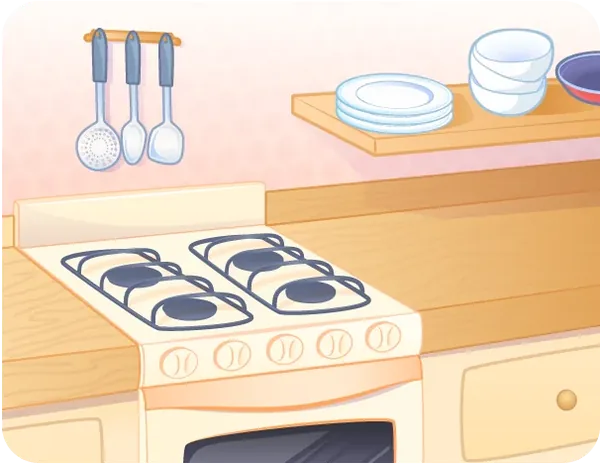
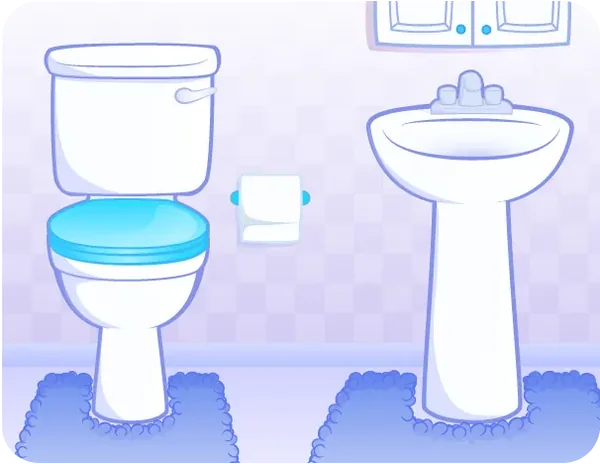
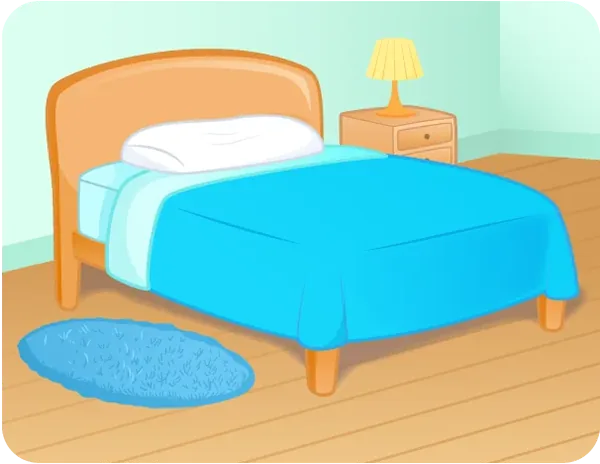
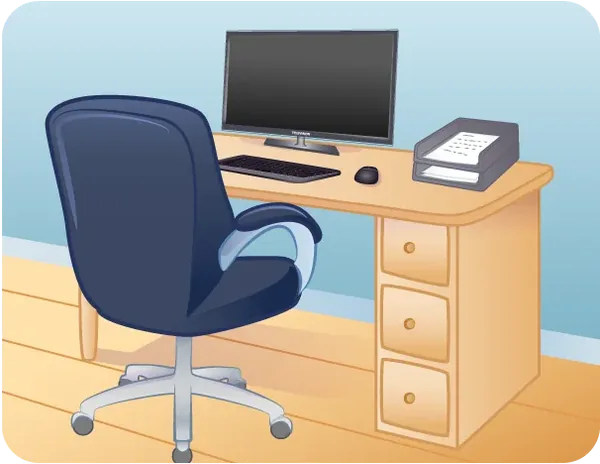
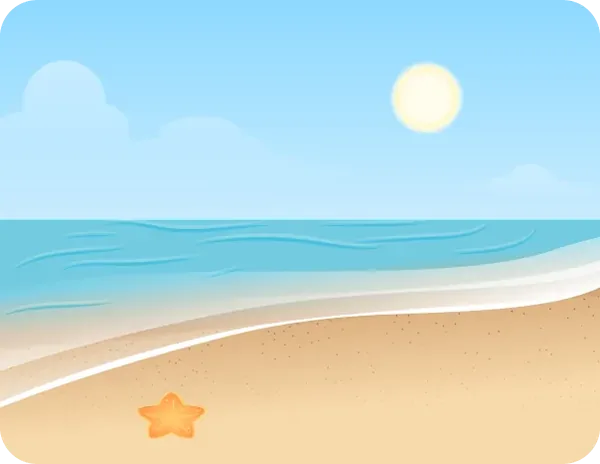
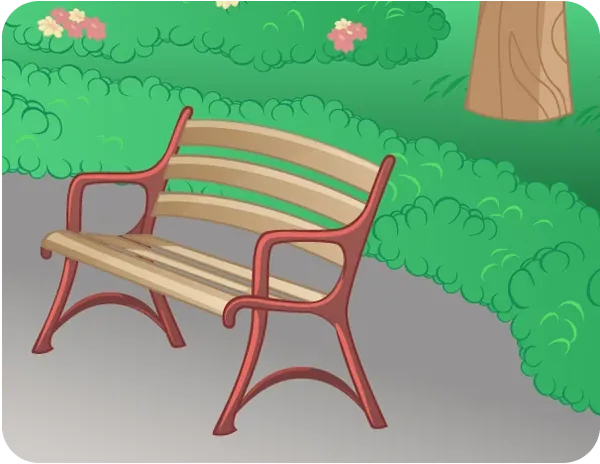

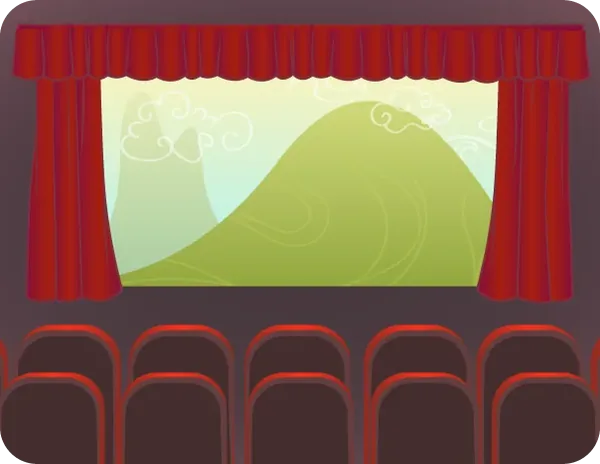
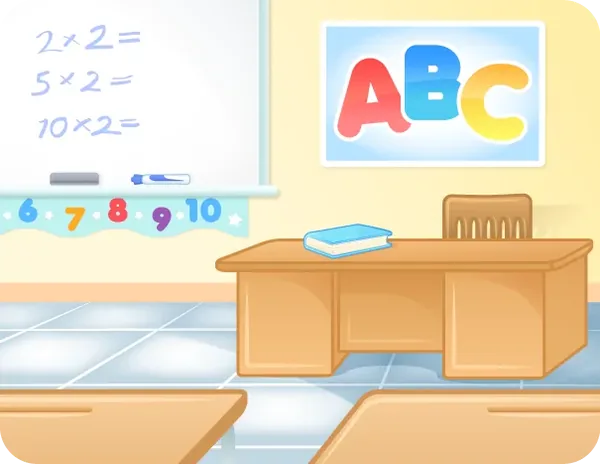
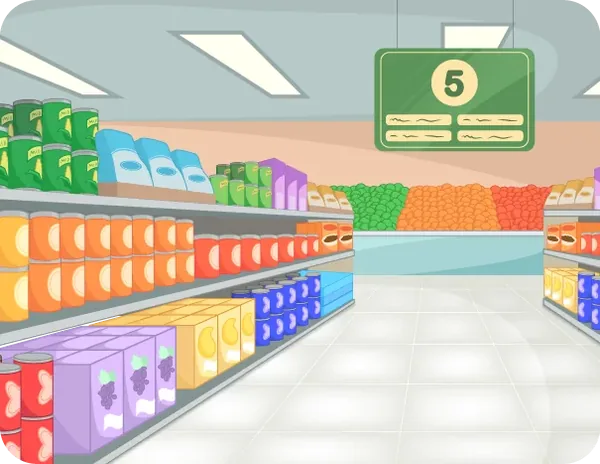

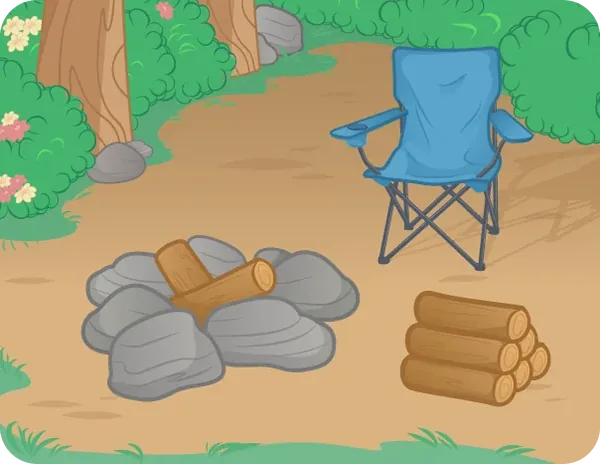
Plus Pool, Hotel Room, Music Room, School Gym, Doctor’s Office, Theme Park, Mall, Basketball Court, Car, Restaurant, Backyard and Living Room.Y además Alberca, Cuarto de Hotel, Cuarto de Música, Auditorio, Consultorio, Feria, Centro Comercial, Basquetbol, Carro, Restaurante, Patio y Sala.
8 scenes are free to play. A subscription unlocks all 24 and every level.8 escenarios son gratuitos. Una suscripción desbloquea los 24 y todos los niveles.
Make it theirsHazlo suyo
Their kitchen. Their classroom. Their things.Su cocina. Su salón. Sus cosas.
Sorting means the most when it looks like real life. Grown-ups can build scenes from photos of the child’s own places and objects, and tune the game to each child.Clasificar tiene más sentido cuando se parece a la vida real. Los adultos pueden crear escenarios con fotos de los lugares y objetos del propio niño, y ajustar el juego a cada niño.
Your photos, your scenesTus fotos, tus escenarios
In Manage Content, take a photo with the camera or pick one from your library for a new scene, then add at least five objects that belong there. You can also rename built-in scenes, change their pictures, add objects, or switch scenes off.En Manejar Contenido, toma una foto con la cámara o elige una de tu fototeca para un escenario nuevo, y añade al menos cinco objetos que vayan ahí. También puedes renombrar los escenarios incluidos, cambiar sus imágenes, añadir objetos o desactivar escenarios.
Everything you create stays on your device. Scenes you create stay playable even if your subscription ends.Todo lo que creas se queda en tu dispositivo. Los escenarios que creas se pueden seguir jugando aunque termine la suscripción.
Game options for each childOpciones de juego para cada niño
- Time Limit: no timer unless you add one; children play at their own pace.Tiempo Límite: sin temporizador a menos que lo agregues; cada niño juega a su ritmo.
- Clues: after a couple of tries (you choose how many) the game shows where an object goes.Pistas: tras un par de intentos (tú eliges cuántos) el juego muestra dónde va un objeto.
- Scene and Object Labels: show the words, or just the pictures.Etiquetas de escenarios y objetos: muestra las palabras o solo las imágenes.
- Sounds for this student: a friendly voice and sounds, or quiet play for this child.Sonidos para este alumno: una voz amable y sonidos, o juego en silencio para este niño.
- For everyone: music (off unless you turn it on), sound effects, narration, stars and a Calm mode without spinning, bouncing or confetti. Music follows the Silent switch, and so do sound effects except while narration is playing; narration stays audible so children who can’t read yet still hear the instructions. The app also follows the Reduce Motion setting.Para todos: música (apagada a menos que la actives), efectos de sonido, narración, estrellas y un modo calma sin giros, rebotes ni confeti. La música respeta el interruptor de silencio, y los efectos también salvo mientras suena la narración; la narración se sigue oyendo para que los niños que aún no leen escuchen las instrucciones. La app también respeta la opción Reducir movimiento.
Game options are behind the parent gate.Las opciones de juego están tras el control parental.
Thoughtfully madeHecho con cuidado
Calm, predictable, and built for grown-ups too.Tranquilo, predecible y pensado también para los adultos.
Simple screens for children, with settings, game options, content and student editing and purchases tucked behind a parent gate.Pantallas sencillas para los niños, con los ajustes, las opciones de juego, la edición de contenido y de alumnos y las compras protegidos por un control parental.
English and SpanishInglés y español
Screens, scene and object names, and narration in both languages. Switch any time, whatever language the device uses.Pantallas, nombres de escenarios y objetos, y narración en los dos idiomas. Cambia cuando quieras, sea cual sea el idioma del dispositivo.
Student profilesPerfiles de estudiantes
Siblings or a whole class can share one device. Each child keeps their own level and game options.Hermanos o toda una clase pueden compartir un dispositivo. Cada niño conserva su nivel y sus opciones de juego.
Gentle guidanceGuía amable
A short animated tutorial shows how to play, and mistakes never end the game: the object just slides back with a soft sound, no buzzer.Un breve tutorial animado enseña a jugar, y los errores nunca terminan el juego: el objeto simplemente regresa con un sonido suave, sin zumbido.
Stars and celebrationsEstrellas y celebraciones
Every level ends with cheerful encouragement and, if you like, stars, and progress is saved for each child.Cada nivel termina con ánimos alegres y, si quieres, estrellas, y el progreso se guarda para cada niño.
iPhone and iPadiPhone y iPad
The board adapts to every screen and orientation, from a phone to a large iPad.El tablero se adapta a cada pantalla y orientación, desde un teléfono hasta un iPad grande.
Playable with VoiceOver and Switch ControlSe juega con VoiceOver y Control por botón
Every object and scene is labeled. VoiceOver users choose “Place in…” a scene from each object, hear whether it was right, and hear what each scene already holds. Tap to place works with Switch Control.Cada objeto y escenario tiene su etiqueta. Con VoiceOver se elige “Colocar en…” un escenario desde cada objeto, se oye si fue correcto y qué tiene ya cada escenario. Tocar para colocar funciona con Control por botón.
Accessible parent gateControl parental accesible
Hold three locks at once to pass. With VoiceOver or Switch Control, a spoken arithmetic question takes its place.Mantén presionados tres candados a la vez para pasar. Con VoiceOver o Control por botón, lo sustituye una operación leída en voz alta.
For parents and teachersPara familias y maestros
Where does it go? Practice, then try it for real.¿Dónde va? Practica y luego hazlo de verdad.
Sorting objects by where they belong is a familiar activity at home and in many classrooms. Sorthings turns it into a short, calm game a child can play again and again. It was designed with autism therapists and institutions such as Fundación Pasitos, CETYS Universidad and UABC.Clasificar objetos según dónde van es una actividad conocida en casa y en muchas aulas. Sorthings la convierte en un juego breve y tranquilo que el niño puede repetir una y otra vez. Se diseñó con terapeutas especializados en autismo e instituciones como Fundación Pasitos, CETYS Universidad y la UABC.
- Learn the names of everyday objects and placesAprender los nombres de objetos y lugares cotidianos
- Practice categorizing: what goes together, and wherePracticar la categorización: qué va junto y dónde
- Connect the game to real life with photos of the child’s own placesConectar el juego con la vida real con fotos de los lugares del niño
- Get familiar with new places, like a doctor’s office or a hotel roomFamiliarizarse con lugares nuevos, como un consultorio o un cuarto de hotel
Private by designPrivada desde el diseño
No ads, no accounts, no analytics and no tracking.Sin anuncios, sin cuentas, sin analítica y sin rastreo.
Students’ names, photos and progress, and the scenes you create, stay on your device. Settings, game options, content editing, student changes, purchases and web links sit behind a parent gate.Los nombres, fotos y progreso de los alumnos, y los escenarios que creas, se quedan en tu dispositivo. Los ajustes, las opciones de juego, la edición de contenido, los cambios de alumnos, las compras y los enlaces web están tras un control parental.

Free to startGratis para empezar
Try it free. Subscribe when it clicks.Pruébalo gratis. Suscríbete cuando te convenza.
No ads and no surprises: one subscription, monthly or yearly, starting with a free week.Sin anuncios ni sorpresas: una suscripción, mensual o anual, que empieza con una semana gratis.
Sorthings
Free downloadDescarga gratuita
- 8 built-in scenes to play8 escenarios incluidos para jugar
- Student profiles and game optionsPerfiles de estudiantes y opciones de juego
- English and SpanishInglés y español
All scenesTodos los escenarios
Monthly or yearly · 1-week free trialMensual o anual · 1 semana de prueba gratis
- All 24 built-in scenes and every levelLos 24 escenarios incluidos y todos los niveles
- Create your own scenes and objects with your photosCrea tus propios escenarios y objetos con tus fotos
- Edit the built-in scenesEdita los escenarios incluidos
Prices are shown in the app in your local currency. The subscription renews automatically unless cancelled at least 24 hours before the end of the current period; manage it in your Apple Account settings. Scenes you created stay playable if you stop subscribing. See the Terms of Use.Los precios se muestran en la app en tu moneda local. La suscripción se renueva automáticamente salvo que se cancele al menos 24 horas antes del final del periodo actual; gestiónala en los ajustes de tu cuenta de Apple. Los escenarios que creaste se pueden seguir jugando si dejas de estar suscrito. Consulta las Condiciones de uso.
HelpAyuda
Questions and answersPreguntas frecuentes
Can’t find what you need? Write to us and a real person will answer.¿No encuentras lo que buscas? Escríbenos y te responderá una persona.
What is the parent gate?¿Qué es el control parental?
Settings (the shuriken at the top left of the home screen), Game Options, Manage Content, adding or editing students, purchases and links to websites are protected by a parent gate: press and hold all three locks at the same time until each one opens. It’s easy for an adult and hard for a young child to do by accident. With VoiceOver or Switch Control on, the gate asks a spoken arithmetic question instead.
Los ajustes (el shuriken arriba a la izquierda de la pantalla de inicio), Opciones del juego, Manejar Contenido, agregar o editar alumnos, las compras y los enlaces a sitios web están protegidos por un control parental: mantén presionados los tres candados a la vez hasta que se abran. Es fácil para un adulto y difícil que un niño pequeño lo haga por accidente. Con VoiceOver o Control por botón activados, el control pide resolver una operación leída en voz alta.
How do I restore my subscription on a new device?¿Cómo recupero mi suscripción en un dispositivo nuevo?
Make sure you’re signed in with the same Apple Account you subscribed with, then:
- Open Settings in Sorthings (you’ll pass the parent gate).
- Tap Unlock all scenes.
- Tap Restore.
If the subscription is active, everything unlocks right away.
Asegúrate de usar la misma cuenta de Apple con la que te suscribiste y luego:
- Abre la Configuración de Sorthings (pasarás el control parental).
- Toca Desbloquear todas las escenas.
- Toca Restaurar.
Si la suscripción está activa, todo se desbloquea al momento.
How do I cancel or change my subscription?¿Cómo cancelo o cambio mi suscripción?
Subscriptions are managed by Apple. On your iPhone or iPad, open the Settings app, tap your name, then Subscriptions, and choose Sorthings. Cancel at least 24 hours before the end of the current period to avoid the next renewal. Refunds are handled by Apple at reportaproblem.apple.com.
Las suscripciones las gestiona Apple. En tu iPhone o iPad, abre la app Ajustes, toca tu nombre, luego Suscripciones y elige Sorthings. Cancela al menos 24 horas antes del final del periodo actual para evitar la siguiente renovación. Los reembolsos los gestiona Apple en reportaproblem.apple.com.
What happens to my scenes if my subscription ends?¿Qué pasa con mis escenarios si termina mi suscripción?
Scenes you created yourself stay yours: you can still play, edit and delete them. The 8 free built-in scenes stay playable. The other built-in scenes lock again, and creating new scenes and editing built-in ones need an active subscription. Objects you added to a built-in scene can still be edited or deleted, and they are played whenever that scene is playable. Students and their progress are kept.
Los escenarios que creaste son tuyos: puedes seguir jugándolos, editándolos y borrándolos. Los 8 escenarios incluidos gratuitos se pueden seguir jugando. Los demás escenarios incluidos se vuelven a bloquear, y crear escenarios nuevos y editar los incluidos requiere una suscripción activa. Los objetos que añadiste a un escenario incluido se pueden seguir editando o borrando, y aparecen cuando ese escenario se puede jugar. Los estudiantes y su progreso se conservan.
How do I create my own scene?¿Cómo creo mi propio escenario?
- On the home screen, tap Manage Content and pass the parent gate.
- Tap Add to make a new scene, give it a name and take or choose a picture.
- Add at least five objects: for each, a name and a photo from the camera or your library.
- Save. The new scene joins the game.
Creating and editing scenes need a subscription; the free trial includes them.
- En la pantalla de inicio, toca Manejar Contenido y pasa el control parental.
- Toca Agregar para hacer un escenario nuevo, ponle nombre y toma o elige una imagen.
- Añade al menos cinco objetos: cada uno con un nombre y una foto de la cámara o de tu fototeca.
- Guarda. El nuevo escenario se suma al juego.
Crear y editar escenarios requiere una suscripción; la prueba gratuita lo incluye.
How do I change the language?¿Cómo cambio el idioma?
Open Settings in Sorthings (behind the parent gate) and tap Change Language. Choose English or Spanish; screens, scene and object names and narration switch, whatever language your device uses.
Abre la Configuración de Sorthings (tras el control parental) y toca Cambiar lenguaje. Elige inglés o español; las pantallas, los nombres de escenarios y objetos y la narración cambian, sea cual sea el idioma de tu dispositivo.
How do I add, edit or delete a student?¿Cómo agrego, edito o borro un estudiante?
Tap the student’s name or picture at the top right of the home screen and then the edit (pencil) button and pass the parent gate, or open Settings › Students › Manage Students. From there you can add a student, change their name, photo, character or color, or delete them. Deleting a student removes their profile, photo, progress and game options from the device; it can’t be undone.
Toca el nombre o la imagen del estudiante arriba a la derecha de la pantalla de inicio y luego el botón de editar (lápiz) y pasa el control parental, o abre Configuración › Estudiantes › Administrar estudiantes. Desde ahí puedes agregar un estudiante, cambiar su nombre, foto, personaje o color, o borrarlo. Al borrar un estudiante se eliminan del dispositivo su perfil, su foto, su progreso y sus opciones de juego; no se puede deshacer.
Where is my data stored? Does it sync?¿Dónde se guardan mis datos? ¿Se sincronizan?
Everything (students, photos, progress and the scenes and objects you create) is stored inside the app on your device. EdNinja has no servers that receive it, and the app doesn’t sync between devices. Your data is included in your device’s own iCloud or computer backups, so restoring a backup to a new device brings it back. Deleting the app deletes the data.
Todo (estudiantes, fotos, progreso y los escenarios y objetos que creas) se guarda dentro de la app en tu dispositivo. EdNinja no tiene servidores que lo reciban y la app no sincroniza entre dispositivos. Tus datos se incluyen en las copias de seguridad de tu dispositivo en iCloud o en tu ordenador, así que al restaurar una copia en un dispositivo nuevo vuelven. Al borrar la app se borran los datos.
Is Sorthings a therapy?¿Sorthings es una terapia?
No. Sorthings is an educational tool that parents, teachers and therapists can use alongside the support a child already receives. It is not a medical or therapeutic service and doesn’t replace advice from a qualified professional.
No. Sorthings es una herramienta educativa que padres, maestros y terapeutas pueden usar junto con el apoyo que el niño ya recibe. No es un servicio médico ni terapéutico y no sustituye el consejo de un profesional cualificado.
Still need help?¿Necesitas más ayuda? Tell us your device and what happened.Cuéntanos qué dispositivo usas y qué pasó.
support@edninja.app
Ready to sort some things?¿Listos para poner cada cosa en su lugar?
Sorthings is coming soon to the App Store for iPhone and iPad, free to download with a one-week free trial of every scene.Sorthings llegará muy pronto a la App Store para iPhone y iPad, con descarga gratuita y una semana de prueba gratis de todos los escenarios.
 Coming soon to the App StoreMuy pronto en la App Store